Page 1 of 1
Gauge ranges not correct
Posted: Sun Jan 25, 2026 1:11 pm
by RGV250
Hi,
Not exactly a bug but a bit annoying, I set a couple of ranges from 6-8 and 8-10 but on the actual page they are shown from approx 6.4-8.2 and 9.2-10.
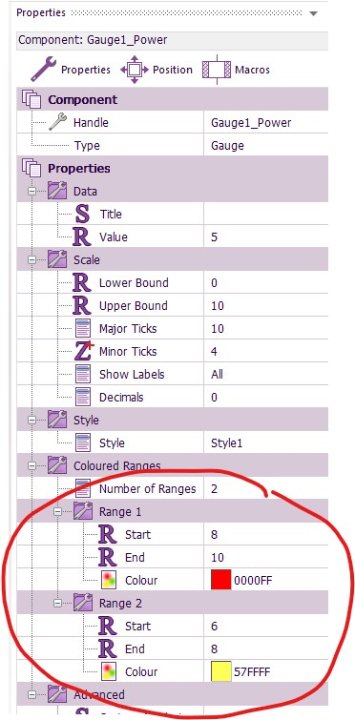
- Gauge ranges.jpg (53.26 KiB) Viewed 4647 times
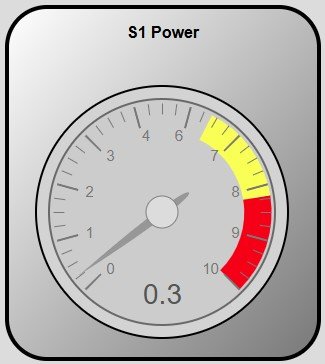
- Gauge ranges 1.jpg (21.48 KiB) Viewed 4647 times
Regards,
Bob
Re: Gauge ranges not correct
Posted: Mon Jan 26, 2026 9:12 am
by Steve-Matrix
Thanks. Is this in a Web Developer or Embedded / PC Developer app?
Re: Gauge ranges not correct
Posted: Mon Jan 26, 2026 9:33 am
by RGV250
Hi Steve,
Web developer. The project is the one I posted on the chart etc.
Bob
Re: Gauge ranges not correct
Posted: Mon Jan 26, 2026 10:27 am
by Steve-Matrix
If you look at the gauge values, there's something else going on. There is no number "5" on the dial.
But I can see the issue. The "Major Ticks" is set to "10", but it needs to be set to "11" (the scale is from 0 to 10, which gives 11 major ticks).
Re: Gauge ranges not correct
Posted: Mon Jan 26, 2026 10:46 am
by RGV250
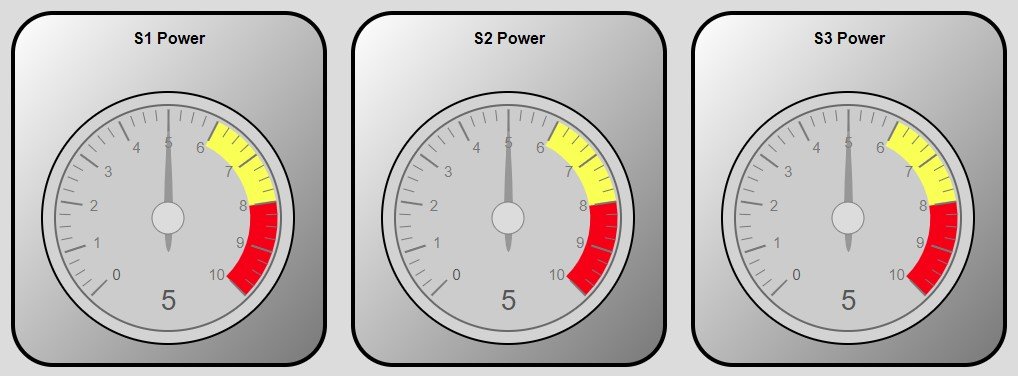
- Fixed.jpg (58.43 KiB) Viewed 4598 times
Feeling rather stupid now:-)
Re: Gauge ranges not correct
Posted: Mon Jan 26, 2026 11:53 am
by Steve-Matrix
No need to feel stupid - it's not obvious how to set up those tick marks. I plan to revisit the Web Developer components soon and hopefully I'll make it easier to set up.