Page 1 of 1
RTC Battery Back-Up
Posted: Mon Jan 07, 2019 6:56 pm
by gavo4
Hi Leigh,
Just a quick question with regards to the RTC Battery Back-up.
I have inserted a 2032 Lithium battery in the Miac and I assume we can't keep calling a RTC Set-up Macro as it will keep defaulting the RTC Clock to the time we have set in the Macro. How can we call the RTC set-up once and not again so we don't overwrite the time each time the MIAC Switches off?
Regards,
Gavin
Re: RTC Battery Back-Up
Posted: Mon Jan 07, 2019 8:14 pm
by LeighM
Hi Gavin,
The RTC setting is usually done via a setup menu selected via the keypad.
Leigh
Re: RTC Battery Back-Up
Posted: Tue Jan 08, 2019 6:37 pm
by gavo4
Thanks Leigh!,
I have written the Time part of the RTC keypad working nicely, just the date side and I will run some tests..

Regards,
Gavin
Re: RTC Battery Back-Up
Posted: Tue Jan 08, 2019 6:59 pm
by gavo4
Thanks Leigh!,
Working nicely now - thanks again for the help!
Regards,
Gavin
Re: RTC Battery Back-Up
Posted: Thu Jan 10, 2019 7:58 pm
by gavo4
Hi Leigh,
I have the time working nicely, the date is an issue, I can't seem to get the last digit for the Year on my routine, somehow I have tried it a Million ways and still nothing. Any help would be greatly appreciated.
The routine is not very polished just playing about but somehow If I enter 10/01/19 in the key pad I can only get 10/01/1
Many Thanks...
Regards,
Gavin
Re: RTC Battery Back-Up
Posted: Fri Jan 11, 2019 9:35 am
by LeighM
Hi Gavin,
You are getting on well

The simulation debugger is very useful for helping with these kind of problems.
If you set a breakpoint in your GET_DATE, run the simulation, when it stops on the breakpoint add DATE to the variable watch.
You can then edit the value of DATE to help see what is happening ...

- breakpoint.jpg (80.96 KiB) Viewed 19753 times
Then Step to the next icon and see how the DATE changes ...

- step.jpg (48.85 KiB) Viewed 19753 times
So this is the fix ...

- correction.jpg (17.04 KiB) Viewed 19753 times
Hope that helps
Leigh
Re: RTC Battery Back-Up
Posted: Fri Jan 11, 2019 12:18 pm
by gavo4
Thanks Leigh,
The Simulation really, really helps!,
I still can't seem to see the 2?
I used the calculation in Date Set as:
DATE[5] = '5'
DATE[4] = '4'
DATE[3] = '3'
DATE[2] = '2'
DATE[1] = '1'
DATE[0] = '0'
I used the Calculation as
DATE[8] = 0
DATE[7] = DATE[5]
DATE[6] = DATE[4]
DATE[5] = '/'
DATE[4] = DATE[3]
DATE[3] = DATE[2]
DATE[2] = '/'
DATE[1] = DATE[1]
DATE[0] = DATE[0]
And attached is what I get
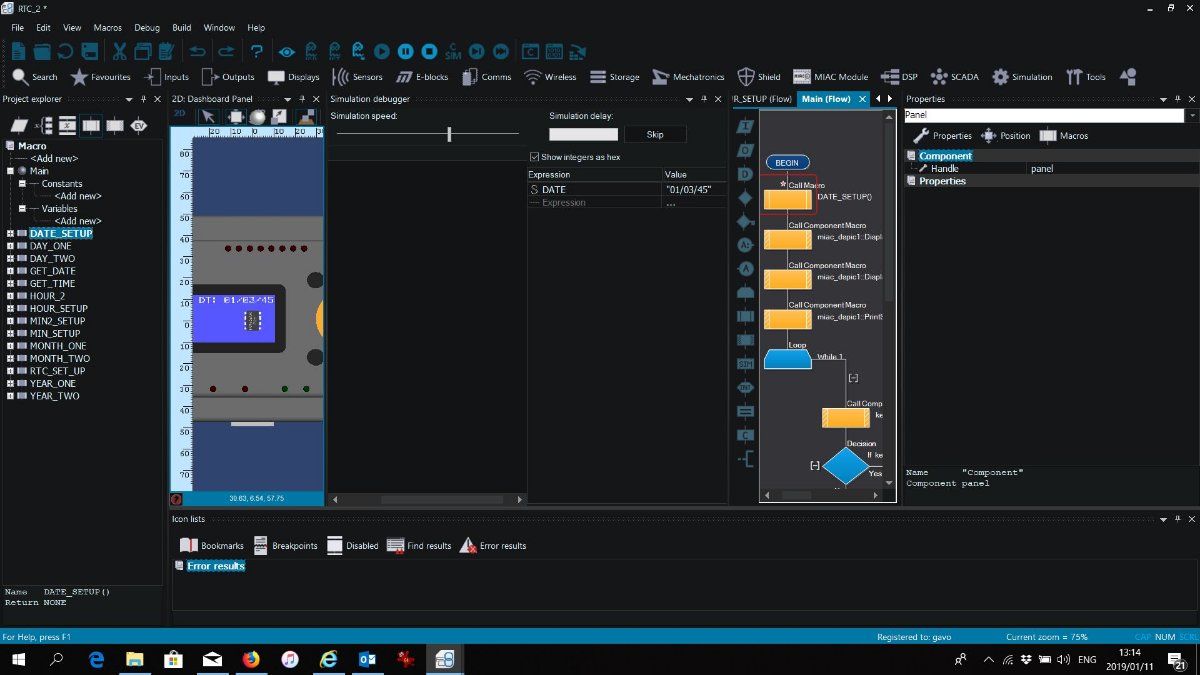
- Clipboard03.jpg (108.58 KiB) Viewed 19746 times
Re: RTC Battery Back-Up
Posted: Fri Jan 11, 2019 12:47 pm
by LeighM
The RTC:SetDate string should only be 6 characters and without the '/'
Re: RTC Battery Back-Up
Posted: Fri Jan 11, 2019 1:20 pm
by gavo4
Hi Leigh,
I did do that?, perhaps I have miss-understood you?
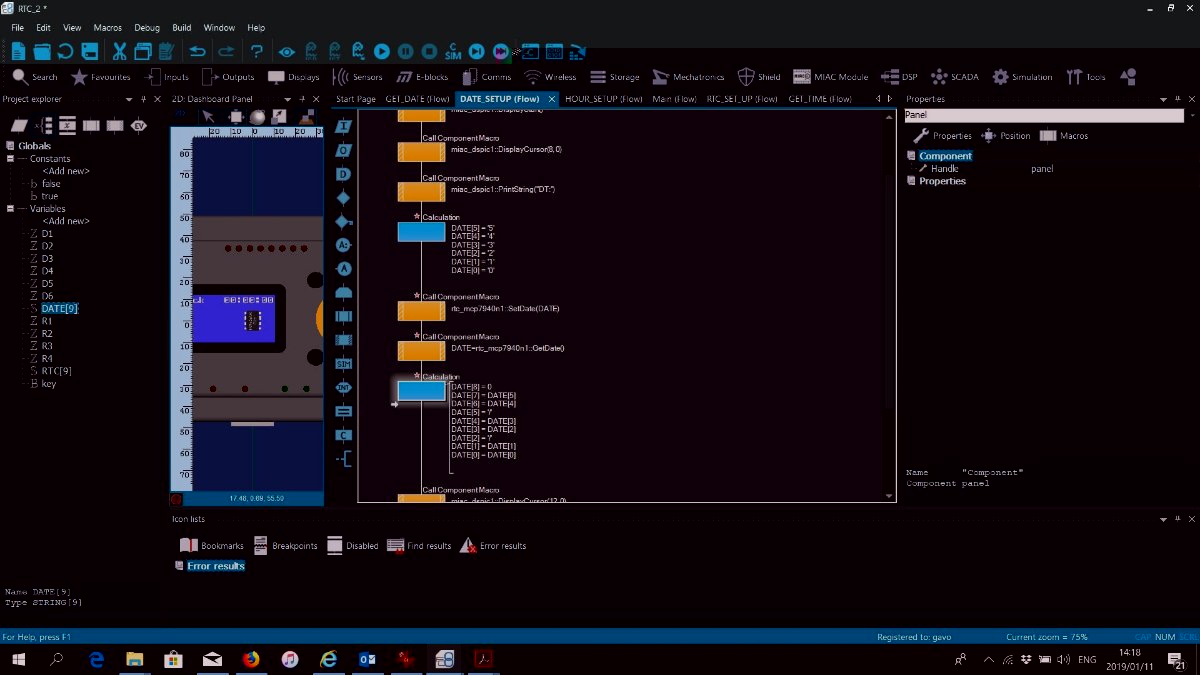
- Clipboard05.jpg (108.62 KiB) Viewed 19742 times
Re: RTC Battery Back-Up
Posted: Fri Jan 11, 2019 1:31 pm
by LeighM
Could you try it on the hardware now?
It could be that the RTC component does not simulate.
If hardware does not work, could you post your latest project file?
Re: RTC Battery Back-Up
Posted: Fri Jan 11, 2019 1:36 pm
by gavo4
on the Display I get when I run the code:
01/03/45
Regards,
'
Gavin
Re: RTC Battery Back-Up
Posted: Fri Jan 11, 2019 1:40 pm
by LeighM
Ah, I think that might just be the RTC component doing some checking,
i.e. there is no month 23
Re: RTC Battery Back-Up
Posted: Fri Jan 11, 2019 2:40 pm
by gavo4
Oops how embarrassing as I should've seen that...
thanks Leigh - all working!