Exercise - System Panel - Controlling Shapes
The following assumes that you have added a single LED to the System Panel, as described in Exercise - System Panel - Adding Objects.
The aim of this exercise is to mount the LED on the car's instrument panel, and to control the viewpoint of the resulting component.
- Open the flowchart "System_Panel_Add_LED" which you created in Exercise - System Panel - Adding Objects.

- Move the LED into the top right-hand corner by clicking on the 'Move with the mouse' icon.

- Click and drag a cylinder from the vertical toolbar onto the System Panel.
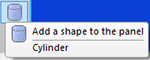

- Click on it to select it. You will see five properties listed on the Panel Properties,
- 'Shape', 'Color', 'Outline', 'Thickness' and 'Image'.
- The default 'color' property is red (0x0000C0). Click on its value, and change the color to black (0x000000).

- Click on the 'Scale with mouse' icon on the top, horizontal toolbar.